
“Make me a landing page for my bakery”
Claude designs and builds it, another agent opens it in a browser, checks the screenshots and the tests, and you get the files ready to publish. Ask for “two options” and a third agent picks the better one.
Free and open source · Windows · macOS · Linux
Ask once. A coordinator plans the work and gives each task to the agent that does it best: Claude, Codex, Gemini, DeepSeek, Qwen, Copilot, Cursor, a local model or any command-line agent you add. You watch them work in a live 3D world, and the results come back already checked.
Kywai/kiː.waɪ/Say it “kee-why”



The default team. Remove any of them, or add as many as you want.
One request goes in. A plan you can read, work you can watch, and a checked result come out.
Type, dictate or drop files in the chat, in your own words.
The coordinator splits the work, picks an agent for each task and explains why.
Say yes, or change the plan with one sentence. You can also let it start on its own.
In parallel when it pays off, in your project folder, each with its own program and your own login.
An agent from a different family reviews every change. The author fixes what it finds.
The goal: leave a task and come back to a result, never to an error with nothing to show for it.
Real examples of what the team does while you get on with something else.
Claude designs and builds it, another agent opens it in a browser, checks the screenshots and the tests, and you get the files ready to publish. Ask for “two options” and a third agent picks the better one.
Codex reproduces the bug, fixes it and runs the tests; a reviewer from another family confirms it. If something breaks, Undo puts your files back exactly as they were.
Gemini reads huge amounts of material in one go and gives you a report with the key points and a table. Drop the files in the chat, even from your phone.
An agent writes the script and kywai does the rest: voice, images, music, sound effects and editing. You only get the MP4, ready to watch in the chat, and /tiktok or /instagram can publish it.
A routine launches it every day on the always-on computer. You read the result on your phone with your coffee, and Needs you only rings if something needs your decision.
Quick things go straight to the agent you name, without a plan or review. With a local model it is free and nothing leaves your computer.
Real app footage across different stages of one project: agent tasks, four worlds, shared files and an interactive prototype. Original music and English on-screen text. Download the video
It drives each agent’s own program with your session, so it runs on your plans’ quota instead of extra API costs. API keys and free local models work too.
The coordinator knows each agent’s strengths, quota and track record. Easy work goes to an intern, hard work to the strongest model.
Every task has an acceptance criterion and a reviewer from another family who runs the tests itself: only an explicit pass approves it. For work that depends on taste, ask for two versions and a third agent picks the winner.
If an agent can’t finish, another strong one takes over. Interrupted work resumes where it stopped, and every change can be undone.
Each agent tells you in short sentences what it is doing, and a step-by-step view shows every command, file and search.
Everything runs on your computer. Remote access only travels through your own Tailscale network, and Kywai never sees or stores passwords.
Open ⚙ → Settings → Extensions to expand your agents’ tools and customize kywai:
Search the catalog or add a command, JSON configuration or URL. Choose which agents can use each server: kywai checks that it responds and lists its tools before enabling it. Install missing uv or Node.js from its card.
Find skills on skills.sh or install them from a GitHub repository or folder. SKILL.md, scripts and references stay together, and the whole team can consult those skills when needed.
Browse Anthropic’s plugin catalogs or add another GitHub catalog or plugin. kywai turns skills, commands and subagent profiles into shared skills, and imports MCP servers disabled so you decide which agents get them.
Install kywai extensions from GitHub or a local folder, with /… chat commands, hooks when work starts or finishes, and custom panels. Hooks require your permission; panels run in isolation on desktop, web and Órbita.
Compatibility: user MCP servers connect to Claude, Codex, Gemini and Hermes; unsupported agents are disabled. Remote servers requiring authorization need a token: OAuth and SSE are not supported yet. Plugins import compatible components; their hooks and LSP do not run as they do in Claude Code. kywai’s internal MCP is currently offered to Claude in coordinated tasks.
Type /video and what it is about. Everything else is done on your computer, and only the finished MP4 comes back.
Type of video (animated text, cartoon with a presenter or mixed), character (none, kywai’s robots or your own), style and voice, each with a preview. Then just write the topic.
Watercolor, Pixel RPG, 1930s cartoon, ukiyo-e, cut-paper diorama and six styles made by kywai, with a sample of each. Attach a reel or your images and it copies their look.
Natural voices in several languages that you can preview, original music that ducks under the voice, and real sound effects (whooshes, pops, impacts) with free licenses.
Images from ComfyUI on your own computer, or Gemini as a backup, live 3D scenes, formula and diagram animations with Manim, and a hook in the first two seconds.
/serie makes episodes with the same characters that end on an A/B question for your audience. “Make me 3 videos about…” creates several from different angles at once.
/instagram and /tiktok write the caption and post as a draft or directly, always after your click. With a routine, a new video can be ready every Monday.
From the first request to the downloaded file: context, automation and control in one app.
Cards with fields to fill in, /… commands and delivery to the team or an agent. Create your own templates and turn eligible ones into routines.
Run once, on a schedule, every N hours, from a signed GitHub webhook or on folder changes. With history and configurable approval; coordinator proposals need your confirmation.
Multiple conversations per project, pinned chats and a history grouped by date. Ctrl+K searches every chat, task, result and memory note, with exact phrases and filters by date and author, and jumps to the exact message.
Attach documents and images, follow progress and open or download deliverables. Results are grouped in one folder per task with the main file first. Save each file or the set as a ZIP from desktop, client, web or Android.
The header follows active agents. Check available quotas, budgets and estimates, time and tokens, cost by agent, subscriptions, budget alerts and CSV export.
Approve or change plans, put @Agent anywhere in your message to send it straight to one agent, and type / to see every command. Review each task’s diff and undo it. Needs you only holds what waits for you; finished work goes to Results.
Each task in its own numbered block with its real stages and the review signed by its reviewer. Progress messages, expandable commands, screenshots and images as work happens; the 3D world shows who is working, in review or waiting.
Underwater brings a reef with fish, whales and jellyfish; Kywai Retreat offers a seaside greenhouse, workshops, a shared tree and night mode. Seven original maps, Digital City in seven colors and four expanded settings: Relicario, Telar, Halloween and Christmas. Shared or per-device themes, adjustable chat, five languages, voices, YouTube music, Audius and radio; Órbita adds a camera, dictation and an offline message queue.
Import local Claude Code, Codex and Hermes sessions, including Hermes Desktop, or ChatGPT and Claude.ai JSON/ZIP exports. Keep your conversations, recover included Claude projects and documents, and continue with your team. Originals are preserved; local sessions are read on the server.
Free robots play with a toy document or colorful ball, visit each other, copy gestures, bump antennas and offer encouragement with a heart. While music plays, they stay awake and dance to the player or ambient music pulse. Without music, they also gently startle sleeping teammates. These local animations use no AI quota; real work takes priority and reduced effects disables them.
Agents start their next task while the previous one is reviewed, independent tasks run at the same time and the fastest reliable reviewer is chosen. Up to two fixes and one hand-off per task; then it asks for you.
Open attachments, deliverables and file names in a side panel, like in Claude: documents, code, images and PDFs, with image thumbnails. Every code block has a copy button.
Large jobs are split between the best agents in parallel, with a shared contract saying which files belong to whom, and a final “Integrate and test” task. Follow-ups go back to the same agent, which resumes its own session.
Your 👍/👎, review results, fixes, time and cost are recorded per agent and per kind of task (visual, web, code, text, research). The coordinator uses that track record when it assigns work.
When a request ends, the coordinator writes what was done and where, how to try it and what was left out, using the real results. Each plan shows its time, tokens and how much quota it used.
The 3D quality adjusts itself to your computer and rests when you are not looking, and Reduce effects turns off the extras. Everything keeps working while the window is closed.
With “Ask me first”, agents ask for permission in the chat: Deny, Allow once or Allow for this session. If a task is blocked, you get what was done and decide in Needs you.
/aprende turns a video or a link into a skill the whole team can use. Before a task, Hermes suggests skills from skills.sh that could help; you choose whether to install them.
Hermes answers simple things himself, without a plan or handing out tasks, and questions that only need to look at the project come back straight away.
Windows, macOS and Linux update inside the app. The ⚙ wheel glows yellow when an update is waiting, and after updating a What’s new window tells you what changed.
The catalog already knows how to launch more than 30 command-line agents, with the account each one uses. Free options are marked, like Aider with Nemotron 3 Ultra or Kilo. Anything else joins with “Other program…”.
Talk to one agent directly: write @Claude … and your text skips the plan.
One computer that is always on does the work. You follow it from wherever you are.
The full app for Windows, macOS and Linux.
Another computer connected to your main Kywai, with file browsing and folder sync. It can become the server again with one button.
The same interface from any device on your Tailscale network.
A native phone app with chat, plans, files, notifications and its own 3D world. Live dictation, camera and gallery, long-press menus, and it works offline with a message queue.


An underwater reef with fish, whales and jellyfish joins Kywai Retreat and the seven original maps. Relicario, Telar, Halloween and Christmas now have their own expanded settings. The Digital City keeps its seven colors; choose a shared or per-device theme. Órbita uses the palette without reproducing desktop scenery.
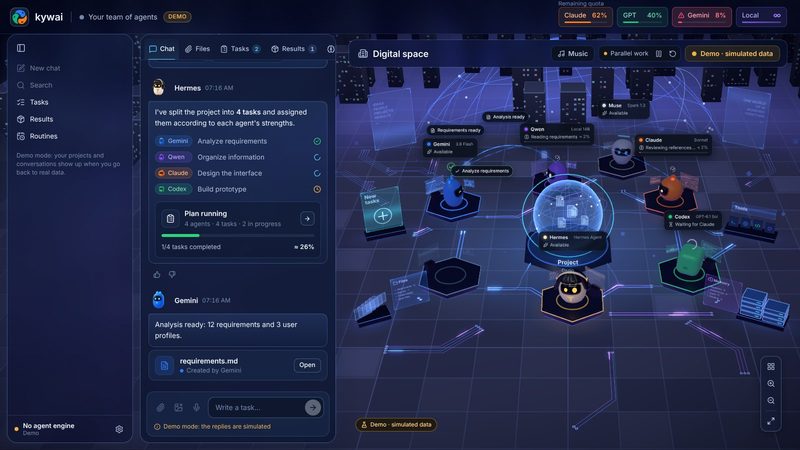
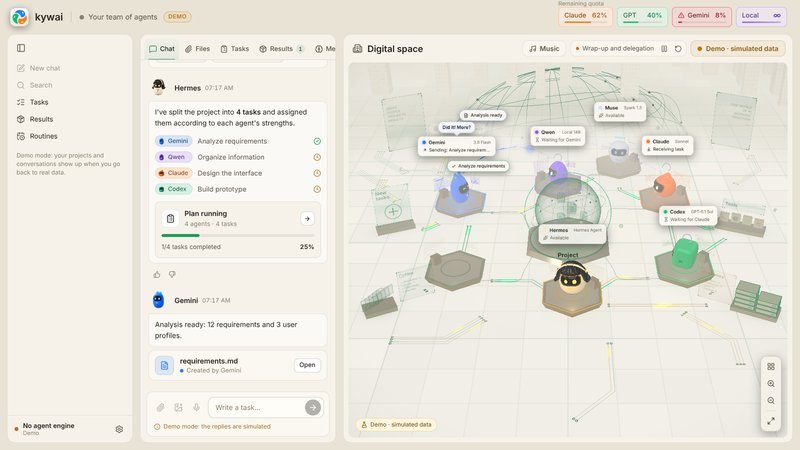
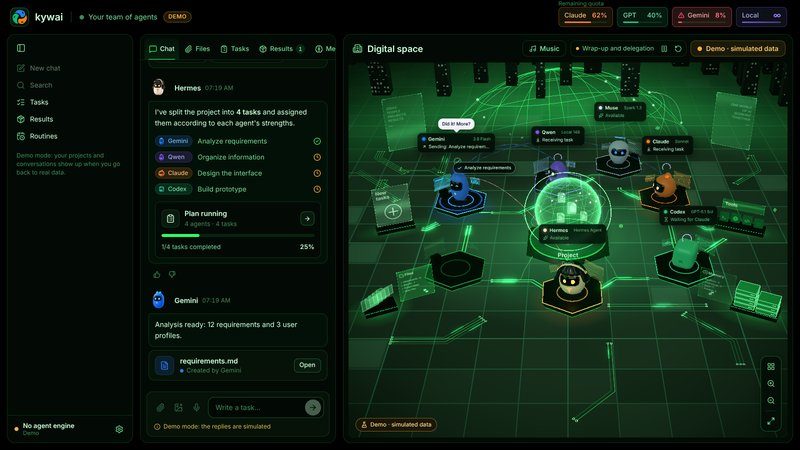
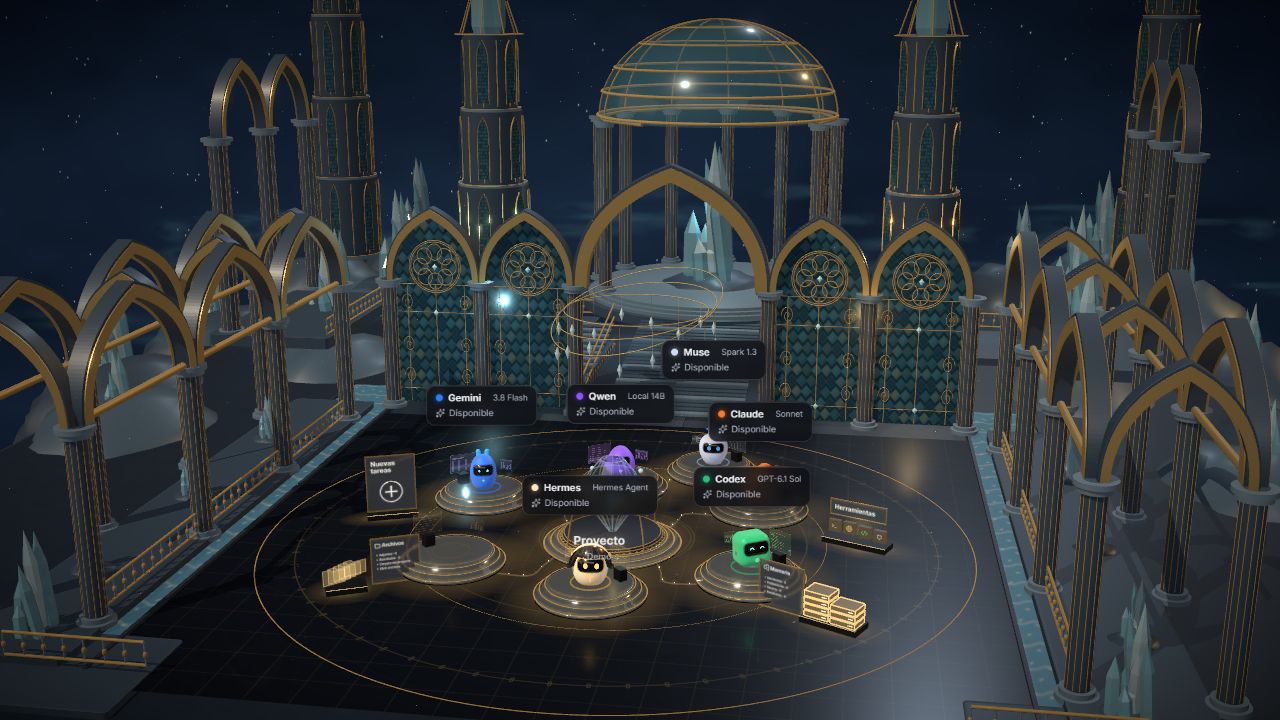
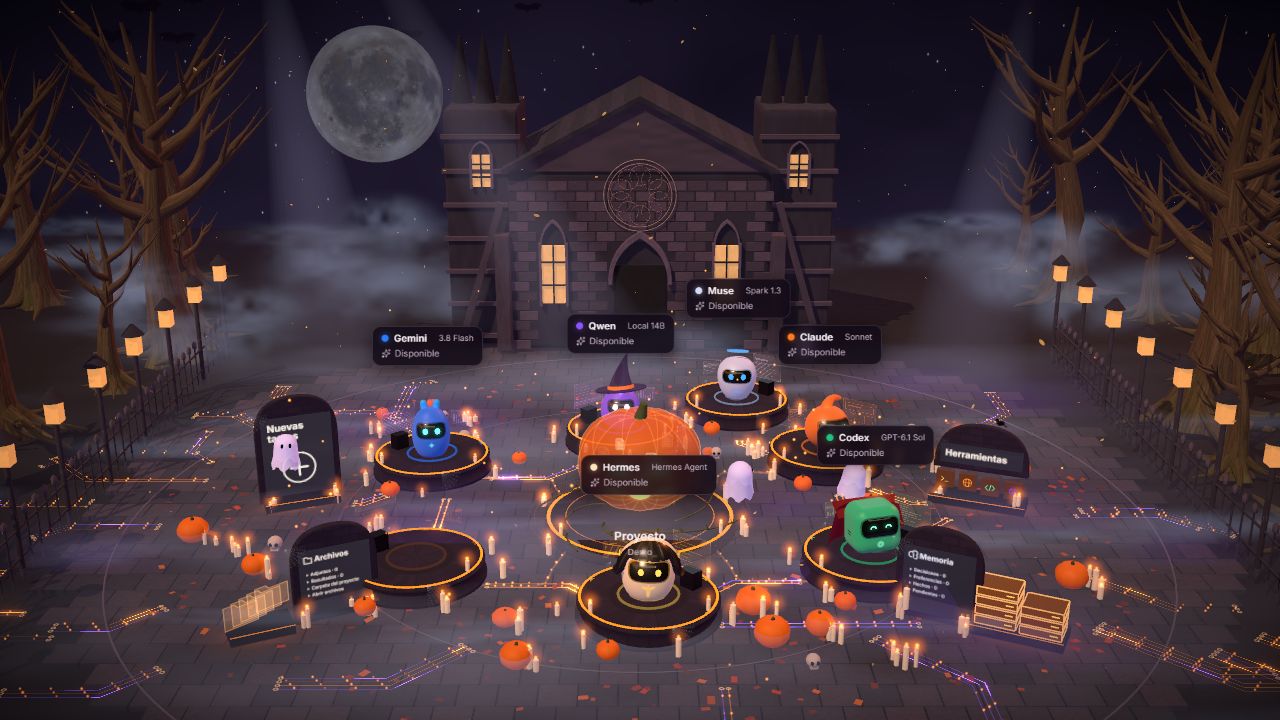
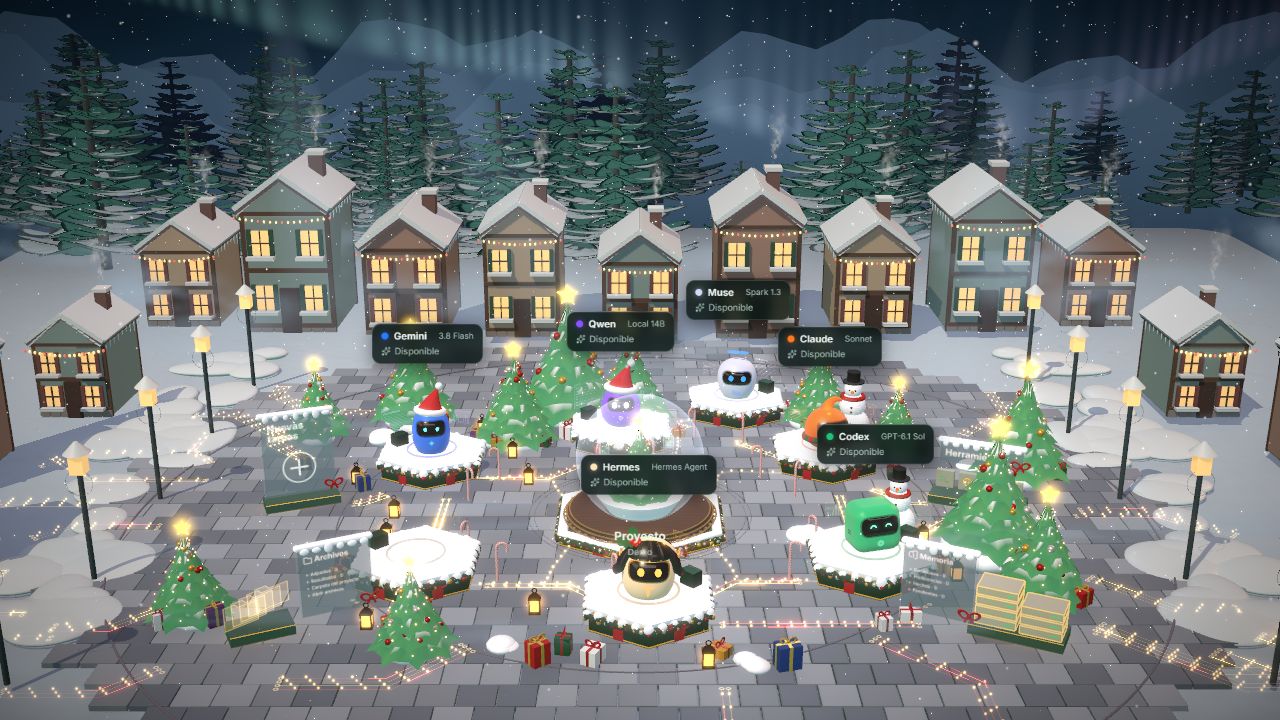
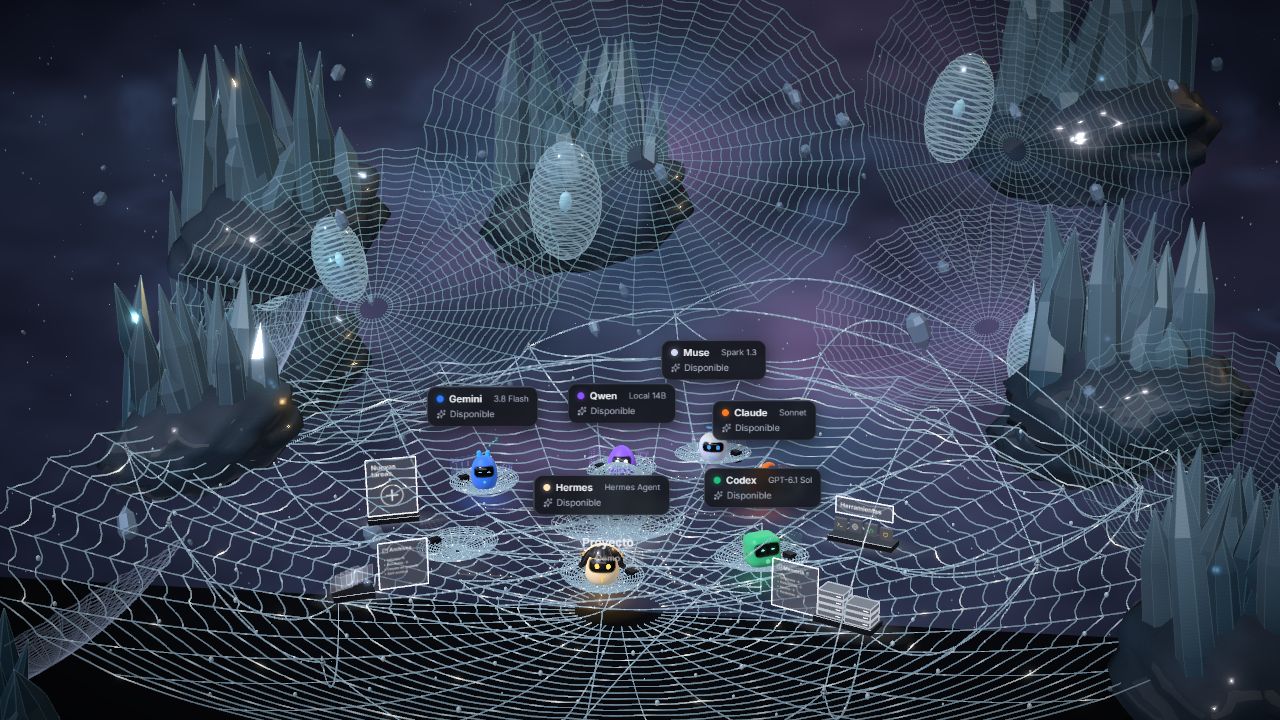
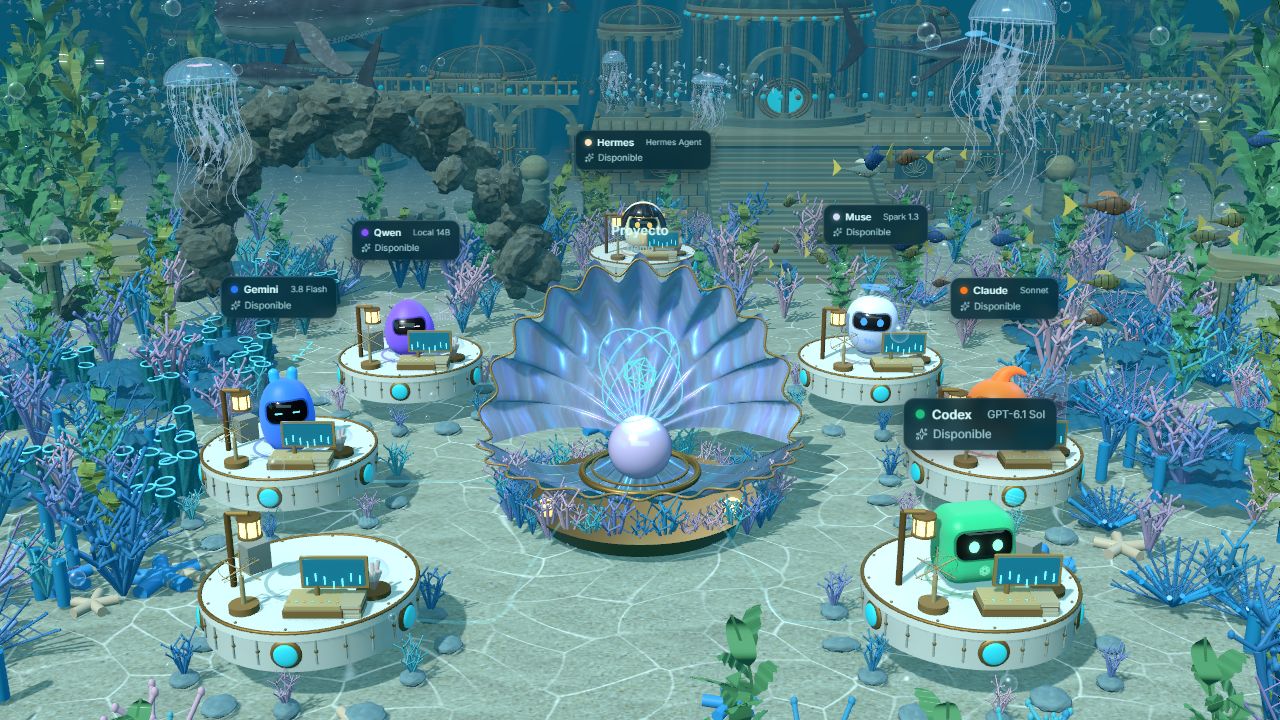
Scene previews with simulated agents.
Free and open source. Updates from the app; macOS opens the download.
Paste it into a terminal: it downloads the latest version for your computer, installs it and opens it.
irm https://kywai.app/install.ps1 | iexcurl -fsSL https://kywai.app/install.sh | bashOr download the installer:
You need at least one AI agent (Claude Code, Codex CLI, Gemini CLI, a local model…). The setup assistant installs them and opens each official login the first time.
Previously called AI Cowork. Installers are published as kywai; the data folder keeps its former name to preserve your projects.
Kywai is MIT licensed. If it saves you time, you can support it once or every month. A star on GitHub helps too.
★ Star on GitHubGive whatever you like, once, with no account. You can also tick “Make this monthly” to repeat it.
☕ Buy me a coffeeLike Patreon: pick a monthly tier, cancel whenever you want. It is what keeps kywai moving.
♥ Become a member